

React Server Components (RSC) are no longer “the new thing” in 2026. They are a proven production model, but they are also still easy to misuse. The teams getting the biggest wins are not “all-in on server,” they are intentional about whereRSC belongs in their component tree and why.
This post is a practical decision guide: when RSC is the right tool, when it is the wrong tool, and the heuristics I use to draw clean server and client boundaries.
The 2026 mental model (the part people still get wrong)
RSC is not “SSR but better.” It is also not “a backend template system.” It is a component model where:
- Server Components run only on the server, never ship their code to the browser, and can safely access server-only things (DB, private APIs, secrets).
- Client Components run in the browser and can use state, effects, browser APIs, and event handlers.
- The app still typically produces HTML for the initial render (often streamed), but the “work” of composing UI can happen on the server in a way that reduces client JavaScript.
Most of the confusion comes from mixing these three related, but different concerns:
| Concern | Question it answers | RSC helps because… |
|---|---|---|
| Rendering location | “Where does the component execute?” | Server Components execute on the server, Client Components in the browser |
| Delivery | “How much JS do we ship?” | Server Component code is not shipped to clients |
| Data access | “Where do we fetch sensitive or heavy data?” | Server Components can fetch directly and keep secrets off the client |
If your primary problem is “I need HTML for SEO,” SSR and SSG already solve that. RSC is most compelling when your problem is “I need a rich UI, but I do not want to ship a ton of JS or expose server-only data access patterns.”
When to use React Server Components (the high-signal cases)
In 2026, the best RSC use cases look boring on purpose. They are the parts of apps that are data-heavy, security-sensitive, and only partially interactive.
1) Data-heavy pages where interactivity is localized
If a page is mostly:
- reading data (tables, lists, details pages)
- formatting and transforming data
- rendering “static” UI with a few interactive widgets
…RSC is a great fit because you can render the bulk on the server and keep the browser bundle small.
Typical examples:
- product detail pages (PDPs) where only “Add to cart” is interactive
- admin views (users, invoices, audit logs) where filters and row actions are interactive, but the table itself should be cheap to load
- content sites with personalization (recommended articles, “continue reading,” region-based content)
2) Authenticated and personalized UI without client-side “API juggling”
A classic pre-RSC pattern is:
- ship JS
- boot app
- call
/api/me - call
/api/dashboard - render UI
With RSC, you can often render the personalized page on the server directly, with fewer moving parts exposed to the client.
This can simplify:
- session-aware rendering
- role-based data fetching
- “gatekeeping” data (never send fields you do not need)
It also tends to reduce accidental over-fetching that happens when multiple client components each “own” a fetch.
3) Pages with expensive dependencies you do not want in the client bundle
If rendering a view requires heavy libraries (Markdown parsing, syntax highlighting, image metadata, large date libraries, localization tooling), moving that work into Server Components can be a clean win.
You still need to measure, but the goal is straightforward: keep weighty dependencies server-side unless they are truly needed in the browser.
4) Security and compliance pressure (least privilege by default)
RSC is not a security silver bullet, but it helps you adopt a better baseline:
- DB queries can live in server-only modules.
- API keys and internal endpoints never touch the browser.
- You can avoid exposing “internal” REST endpoints that exist only because the UI needed them.
If you work in finance, healthcare, or enterprise environments where data boundaries matter, this is often the real reason RSC sticks.
5) You need streaming and progressive rendering for UX
Even without going deep into framework specifics, the general pattern is consistent across RSC-capable stacks:
- render shell quickly
- stream in slower sections
- show fallbacks via
Suspense
This is especially helpful for pages with multiple data sources where you do not want a single slow request to block the entire view.

When not to use RSC (or when it will disappoint you)
You can build almost anything with RSC, but that does not mean you should.
1) Highly interactive, app-like surfaces
If the core experience is:
- drag and drop
- complex canvas/WebGL
- offline mode
- heavy client state machines
- real-time collaboration with optimistic updates everywhere
…you will end up promoting a lot of your tree to Client Components anyway. RSC can still play a role (layouts, initial data, shell rendering), but it will not be the main value driver.
2) UI that must work offline or with flaky connectivity
RSC assumes a server roundtrip for anything that is not already on the client. If offline-first is a hard requirement, keep expectations realistic. You can still use RSC for first load, but your interaction model will likely be client-driven.
3) Third-party libraries that assume “browser everywhere”
Many UI and visualization libraries assume DOM APIs exist. If a dependency reads from window, measures layout, or attaches listeners at import time, it belongs in a Client Component boundary.
RSC can still help, but only if you isolate those libraries behind small client wrappers.
4) “Because it’s the new default” migrations
A forced migration to RSC without a performance, security, or DX goal usually leads to:
- confusing boundaries
- serialization issues
- duplicated data fetching
- devs adding
"use client"everywhere to unblock themselves
If you cannot articulate why RSC helps a given route, do not start by rewriting the whole app.
A simple decision framework: three questions
When deciding if a component should be server or client in 2026, I ask three questions.
Question 1: Does it need browser-only capabilities?
If it needs any of these, it is a Client Component:
- event handlers (
onClick,onChange) - state/effects
- DOM measurement
- access to browser APIs (localStorage, geolocation)
If not, keep it server by default.
Question 2: Is the data access server-only or sensitive?
If it touches:
- database queries
- internal services
- secrets
- privileged user data
…prefer a Server Component so you do not create “frontend-shaped” APIs that exist solely to feed the UI.
Question 3: What is the “JS budget” of this route?
RSC is most useful when you care about reducing the client bundle. A practical heuristic:
- if a component is mostly rendering and formatting, make it server
- if it is an interactive widget, make only that widget client
Here is a decision matrix that tends to match real projects:
| Component type | Typical choice | Why |
|---|---|---|
| Page layout, header, footer, navigation (mostly links) | Server Component | Little to gain by shipping JS |
| Data-driven list, table, detail view | Server Component | Avoid bundle bloat, fetch securely |
| Form with validation and UX polish | Split | Server for data and structure, client for input handling |
| Charts with tooltips/zoom | Often client boundary | Many chart libs are DOM-heavy, isolate it |
| Auth “gate” (role checks, redirects) | Server Component | Security and correctness |
The “server-first, client-as-needed” architecture (recommended)
A clean RSC codebase usually follows this shape:
- Server Components own data fetching and composition.
- Client Components are leaf widgets.
- Props crossing the boundary stay serializable.
A small illustrative example (framework-agnostic in spirit):
// ProductPage.tsx (Server Component)
import { getProductById } from "./data";
import AddToCartButton from "./AddToCartButton";

export default async function ProductPage({ id }: { id: string }) {
  const product = await getProductById(id);

  return (
    <div>
      <h1>{product.title}</h1>
      <p>{product.description}</p>

      {/* Client Component boundary: interactive only */}
      <AddToCartButton productId={product.id} />
    </div>
  );
}
// AddToCartButton.tsx (Client Component)
"use client";

import { useState } from "react";

export default function AddToCartButton({ productId }: { productId: string }) {
  const [pending, setPending] = useState(false);

  return (
    <button
      disabled={pending}
      onClick={async () => {
        setPending(true);
        try {
          await fetch(`/api/cart`, {
            method: "POST",
            headers: { "Content-Type": "application/json" },
            body: JSON.stringify({ productId }),
          });
        } finally {
          setPending(false);
        }
      }}
    >
      {pending ? "Adding..." : "Add to cart"}
    </button>
  );
}
What you are optimizing for here is not “no client code.” You are optimizing for small, obvious client islands.
2026 pitfalls to watch (things that still bite teams)
Boundary mistakes: passing the wrong props
The server-to-client boundary is a serialization boundary. That means:
- avoid passing class instances, functions, complex prototypes
- pass plain objects, arrays, strings, numbers
- keep the client boundary API intentionally small
If you find yourself passing a huge object into a Client Component “just in case,” you are probably undoing the benefit of RSC.
Accidental clientification
The fastest way to lose the RSC advantage is to add "use client" at the top of a shared component used everywhere.
If you need interactivity in one place:
- create a small client wrapper
- keep the shared presentational component server-friendly
Over-fetching on the server
RSC makes it easy to fetch “where you render,” but you can still over-fetch.
Good signals you are doing too much:
- repeated queries from nested components
- N+1 request patterns
- slow server render times even though the UI is simple
This is where framework-level caching and request deduplication strategies matter. If you are using Next.js, Remix, or another RSC-enabled framework, align with their recommended caching patterns rather than inventing your own.
Treating edge runtimes as a default
Edge rendering and RSC pair nicely for some workloads, but not all. Edge environments often have limitations (runtime APIs, cold start characteristics, database connectivity patterns).
If you are exploring this, you might also like my post on edge rendering, because the same “put compute closer to users” tradeoffs apply.
What changed from 2024-2025 to 2026 (practically)
The main change is not that RSC became “more magical,” it is that the ecosystem around it stabilized:
- React’s direction is clearer: server and client are first-class modes, and Actions are a mainstream pattern, with frameworks implementing server-side action routing in their own ways.
- Teams have learned the boundary discipline: the most successful codebases treat client components like a scarce resource.
- Performance work shifted: less time arguing about SSR vs CSR, more time focusing on cache strategy, streaming, and bundle budgets.
If you want a deeper conceptual refresher, I already have an introduction to React Server Components and a longer RSC guide (2025) that goes further into mechanics. This article is intentionally about making the call in real projects.
A pragmatic adoption plan (without rewriting everything)
If you are adopting RSC in 2026, the least risky path usually looks like this:
Start with one route that has obvious upside
Good candidates:
- a marketing page with a heavy UI bundle today
- a logged-in dashboard page that does multiple client fetches
- a product detail route with localized interactivity
Avoid starting with your most interactive surface.
Draw client boundaries early
Before you rewrite anything, identify:
- which parts must be interactive
- which components will stay server-only
- what the boundary props are
If you cannot express the boundary as a small prop interface, stop and rethink.
Measure results like an engineer, not like a fan
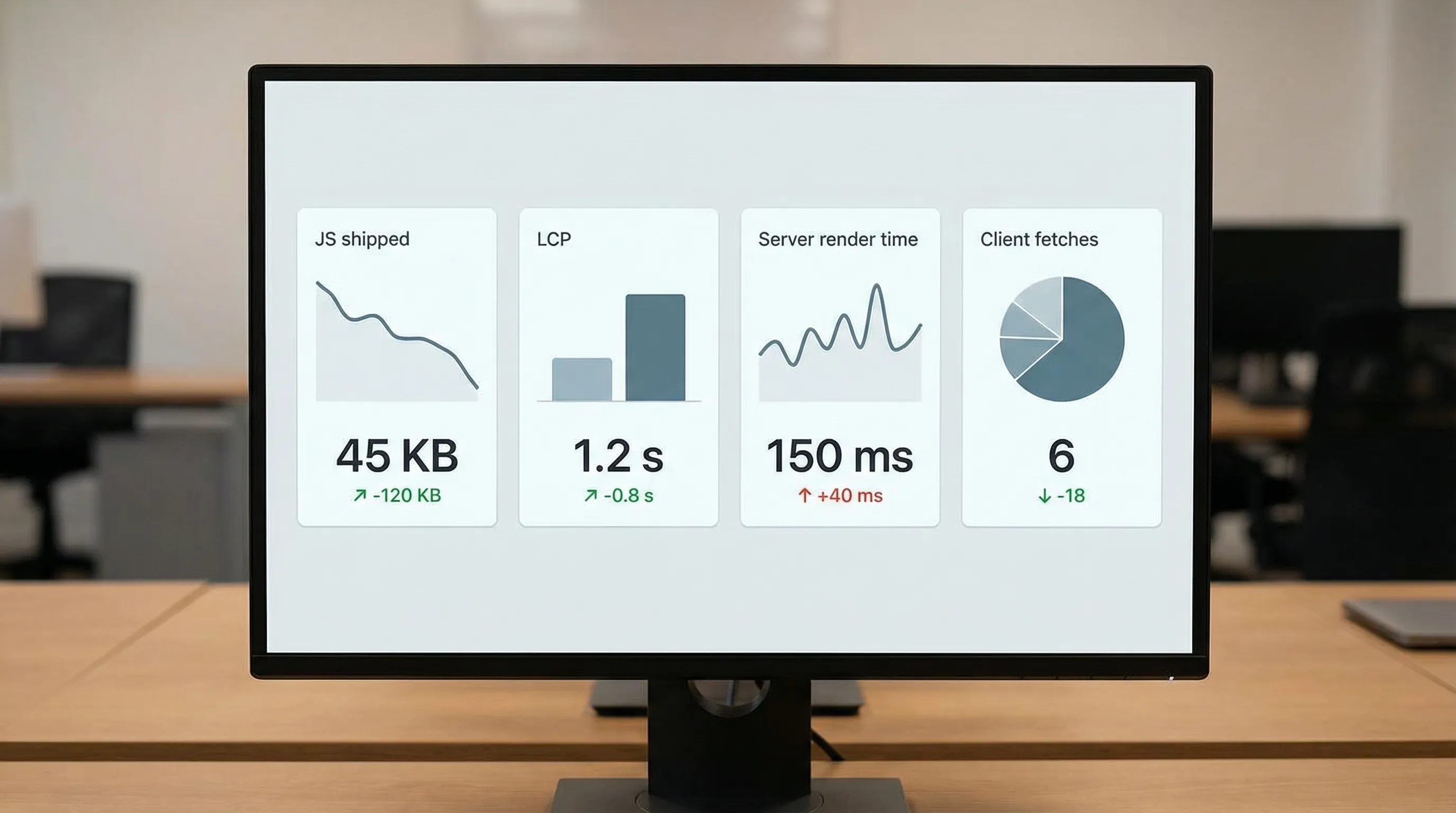
RSC success is measurable. Track:
- route-level JS shipped
- TTFB and LCP trends
- server render time and backend load
- number of client fetches eliminated
If you do not see wins, it is often because a big chunk of the tree became client, or because your caching story is weak.
Quick rules of thumb (the ones I actually use)
- Default to Server Components for layouts, pages, and data composition.
- Promote to Client Components only when you need state, effects, or browser APIs.
- Keep client components small and close to the leaves.
- Treat the boundary as a public API. If it feels messy, it is.
- Use RSC to remove client fetch waterfalls, not to move every interaction to the server.
Closing take
React Server Components in 2026 are best thought of as a component-level tool for controlling what runs where and how much JavaScript you ship, not as a replacement for SSR, SSG, or good architecture.
If you use RSC where it shines (data-heavy, security-sensitive, partially interactive routes) and keep client boundaries disciplined, it is one of the highest leverage upgrades you can make to a React codebase today.
For official references, see the React documentation and your framework’s RSC guidance (for example, the Next.js App Router docs.)